
Your club, on Looper
A page for your club at looper.ae/club/your-club. Marshals plan the drives there, members join at the levels allowed, the convoy and its chat sit together, and after the drive every driver gets the report in their own log. The club keeps its own levels and moves drivers up.
Your club's page in five steps
Ask for a page
On Looper, open Clubs and ask for a page for one of the clubs on your Profile.
Looper opens it
Looper checks it and opens the page; you are its first admin, and you get an email.
Set it up
Add the club's logo and a line about it, check its drive levels and driver levels, and tick which driver levels may join which drives.
Bring the members in
Press Send on WhatsApp under Invite people to the club on the club's home: members ask to join and you accept each with their level, or let anyone in. Make your marshals marshals.
Plan the first drive
Post it from Plan a drive, or paste the club's Carnity event link to fill it in. The members who may join get an email.
A club on Looper
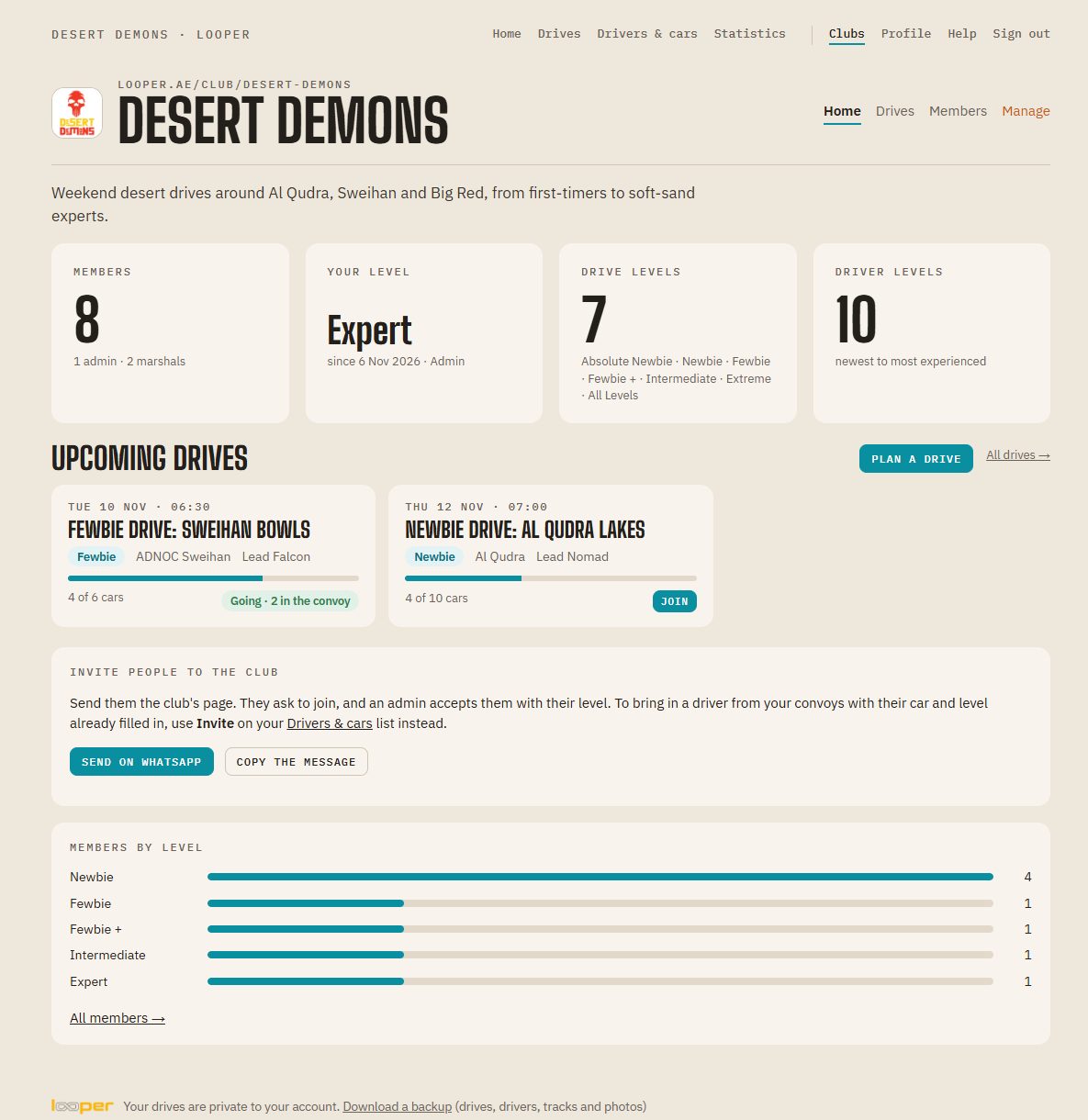
The Desert Demons club with made-up members and drives, on a test copy of Looper.
The club's home
What every member sees first: the drives coming up, with the cars so far and their place in it (Join, Going, or their place in the waiting line), and the members by level. Marshals see Plan a drive.
The Organize tab
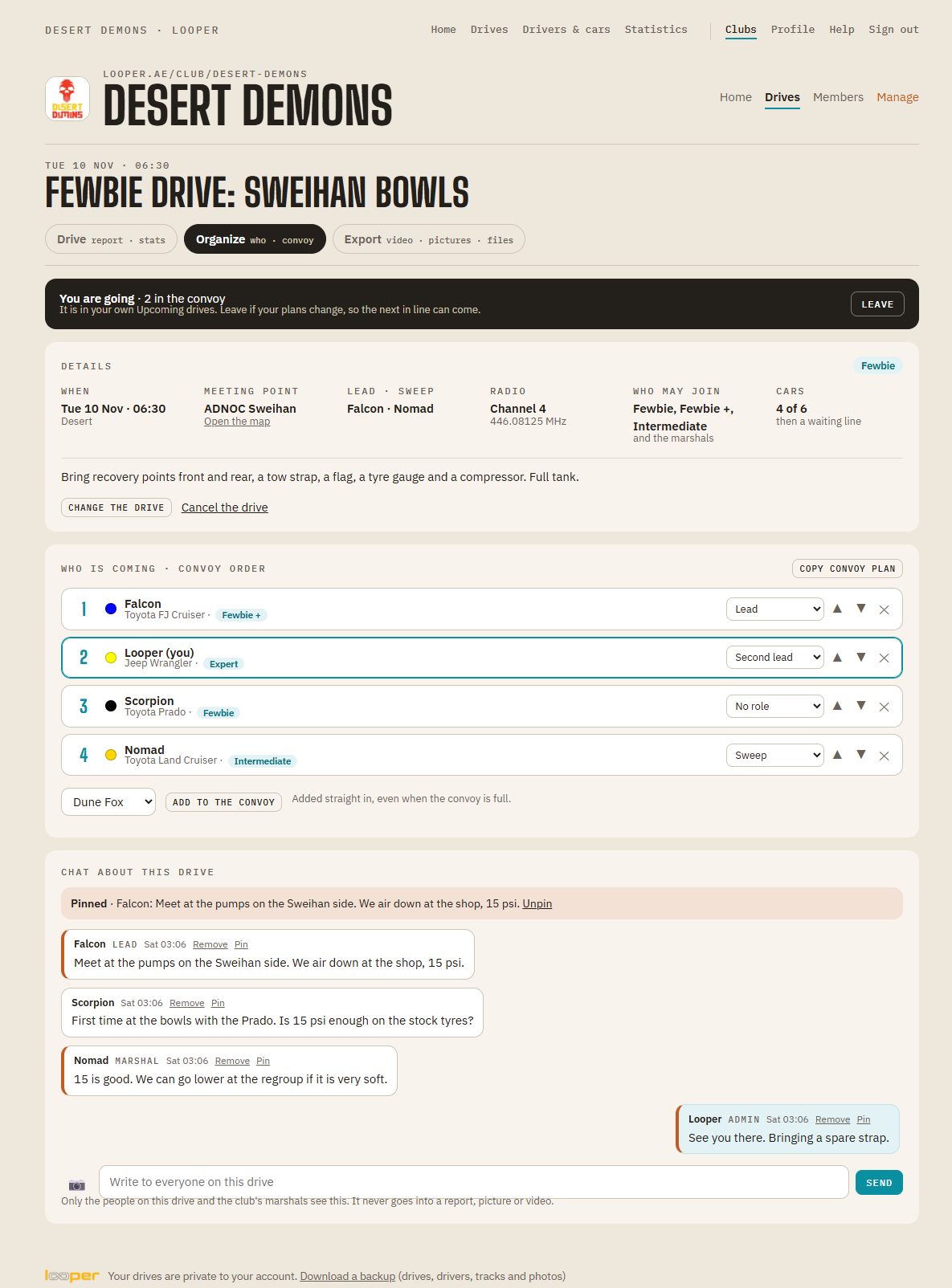
Every club drive has one, next to Drive and Export: the date, meeting point, lead and sweep, radio channel and who may join; who is coming in convoy order, with their car and level; and the drive's chat. The lead and marshals order the convoy, give roles, and add or take off a car.
Levels, kept by the club
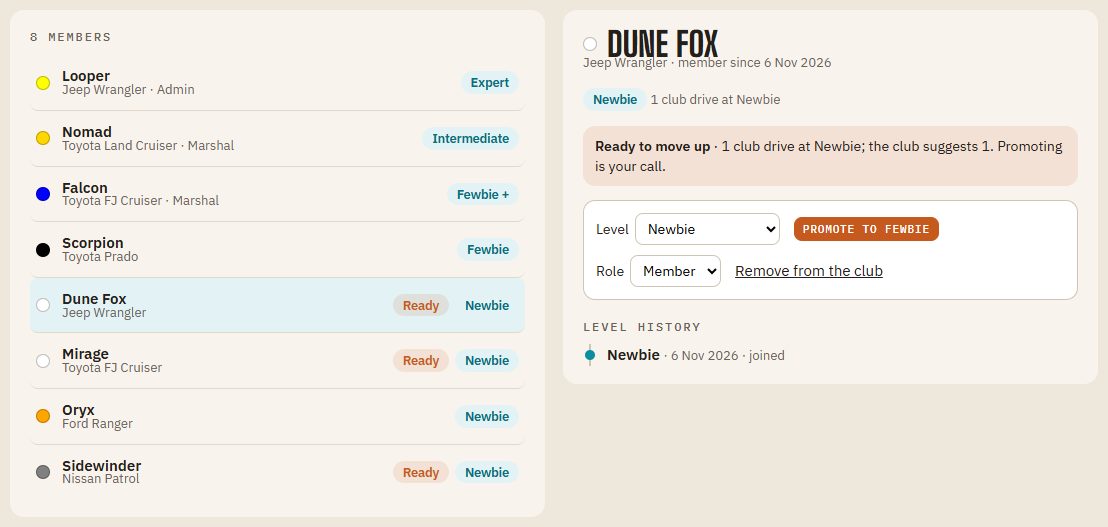
Admins set each member's level and promote them; it shows on the member's own Profile, with its history. When someone has done enough drives at their level, admins see Ready beside them. Promoting is always their call.
Bring the whole club

The club's link, ready to send
Every member has Invite people to the club on the club's home: a WhatsApp message with the club's page and how to join, or the message to copy into the club's group. New people make their account first, then press Ask to join; an admin accepts them with their level.
Manage, for admins
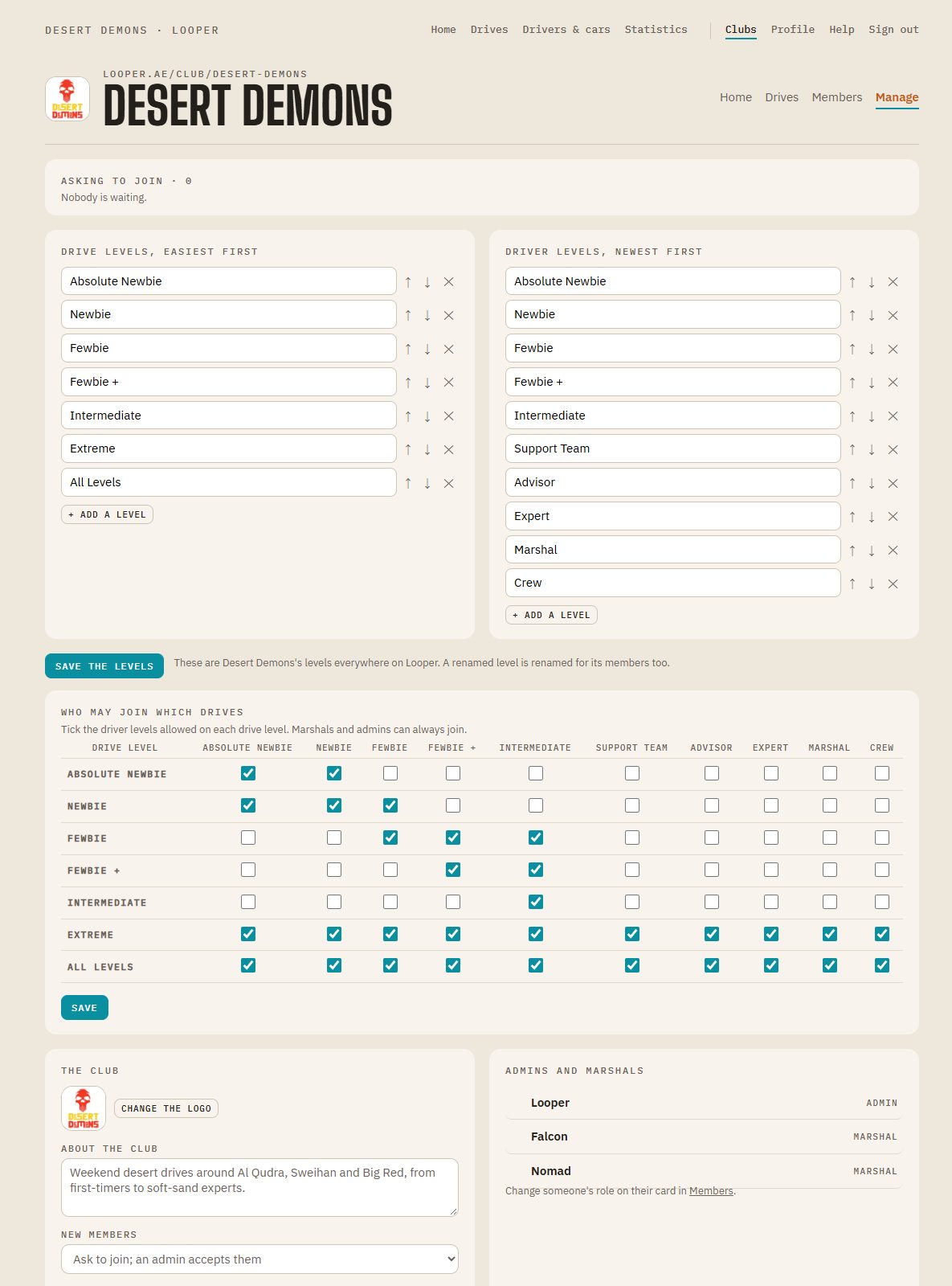
Who asked to join, to accept with their level or decline; the club's drive and driver levels; which driver levels may join which drives; the club's logo, its line about itself, whether new members ask or just join, and after how many drives someone shows as ready to move up.
How a club drive works
Plan it
Marshals and admins post the drive: title, date, meeting time and point, the drive level, how many cars, the lead and sweep, the radio channel and notes for the drivers. A Carnity event link fills most of it in.
Join at the right level
Who may join comes from the club's rule for that drive level, and can be changed for one drive. Marshals and admins can always join. Others see who the drive is for.
A waiting line
First come, first served up to the number of cars, then a waiting line. When someone leaves, the first in line moves in and gets an email. The lead can still add anyone.
The convoy, organized
Order the convoy and give roles: lead, second lead, centre forward, flying sweep, sweep. Each driver's car and level come from their own profile. Copy the convoy plan for the club's group.
The drive's chat
For the people on the drive and the club's marshals: messages and photos, the lead's and marshals' marked. Pin a note and everyone on the drive gets it by email. It never goes into a report or video.
In everyone's log
After the drive, the lead adds the GPX or Gaia link and ticks who came. Each of them gets the drive in their own log with the club's convoy, their own report and Export tab, and it counts in their statistics.
Changes reach people
Change the time or the meeting point, or cancel the drive, and everyone on it is emailed. Members' own logs show the club drives they joined under Upcoming.
Admins and marshals
Admins keep the club's details, logo, levels and members, and decide who may join which drives. Marshals plan and lead drives. A club always keeps at least one admin.
For members only
Only the club's members see its page, drives and members. Others see its name and logo, and a button to ask to join. Phone numbers are never shown.

Join from anywhere
Join a drive, see who is coming, choose which of your cars you bring, and read the lead's note at the meeting point, all from your phone. The drive is in your own Upcoming drives too.

After the drive: the figures, and your report one tap away.
Bring your club to Looper
Create your account, add your club on your Profile, then ask for its page from Clubs.