
Your drives, all in one place
Whether you lead the convoy, sweep it, join it, or drive on your own: every drive goes into your own log at looper.ae/you, with its track, its convoy and its report, and your years add up into your statistics.
Five steps a drive
Set up your profile
Your name as your clubs know you, the clubs you drive with and your level in each, and your cars: your main car and any others you drive.
Add the drive
With the convoy: paste your club's event link and the date, meeting point, host and everyone who joined fill in, or type it in. Or just your own drive: the GPS track alone is enough.
Plan the convoy
Order, roles, levels and each car on the day. Pick the radio channel and copy the plan, with the morning's forecast, into the drive post.
Drive, then add the track
Upload the GPX or paste the Gaia GPS link: the track, stats and weather arrive, and the drive is marked done.
Finish and share
Name the stops and sections, add notes and photos, then open the drive's Export tab: a video in one of eleven themes, pictures for Instagram, the report for your club.
Inside a drive log
Pages from a made-up log, "Looper" in the Desert Demons club. The drives and the people in them are made up.
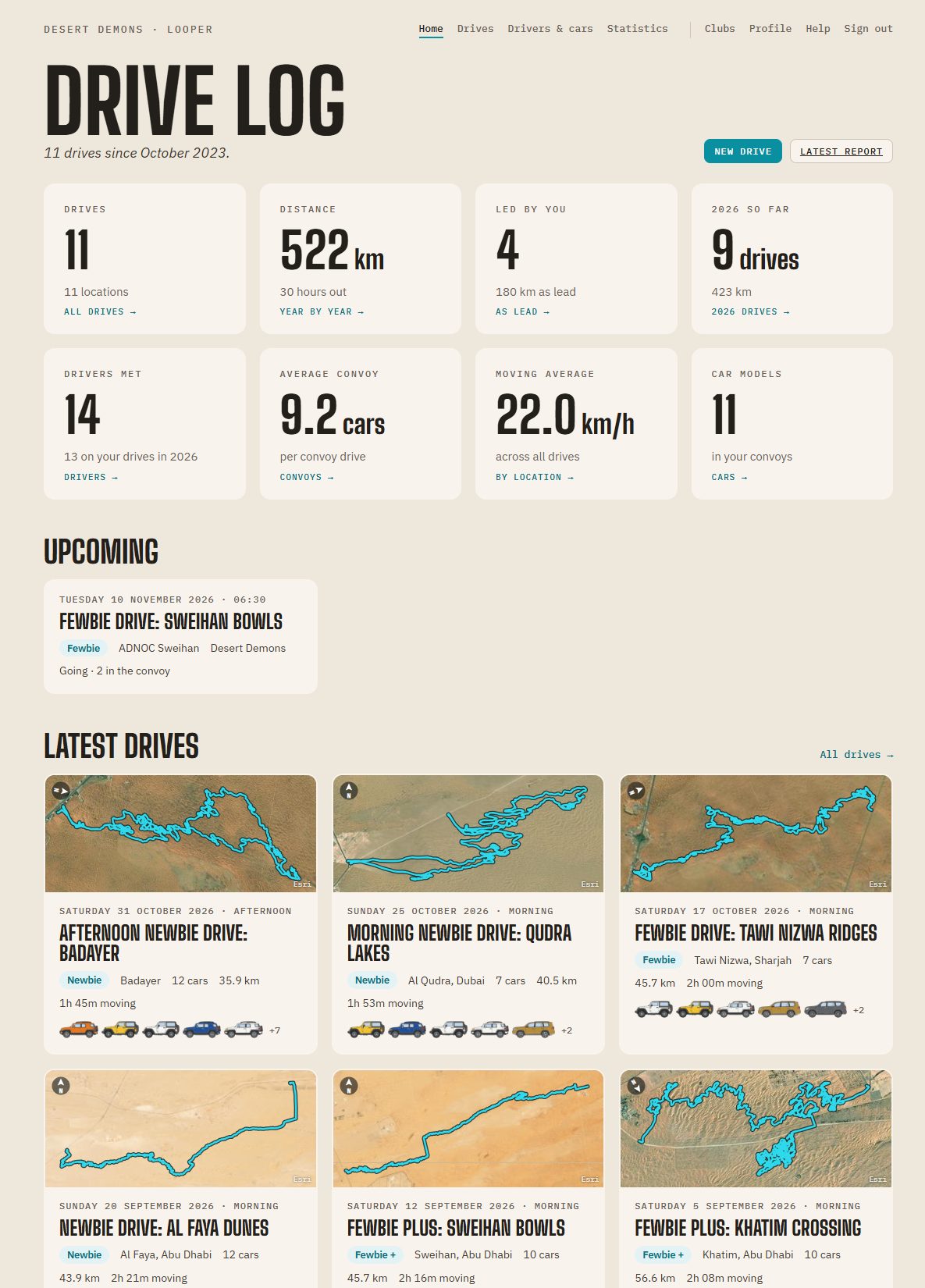
Every drive, at a glance
Your totals up top, the drives coming up, including the club drives you joined, then each recent drive with its track on the satellite map, its level and the cars that came.
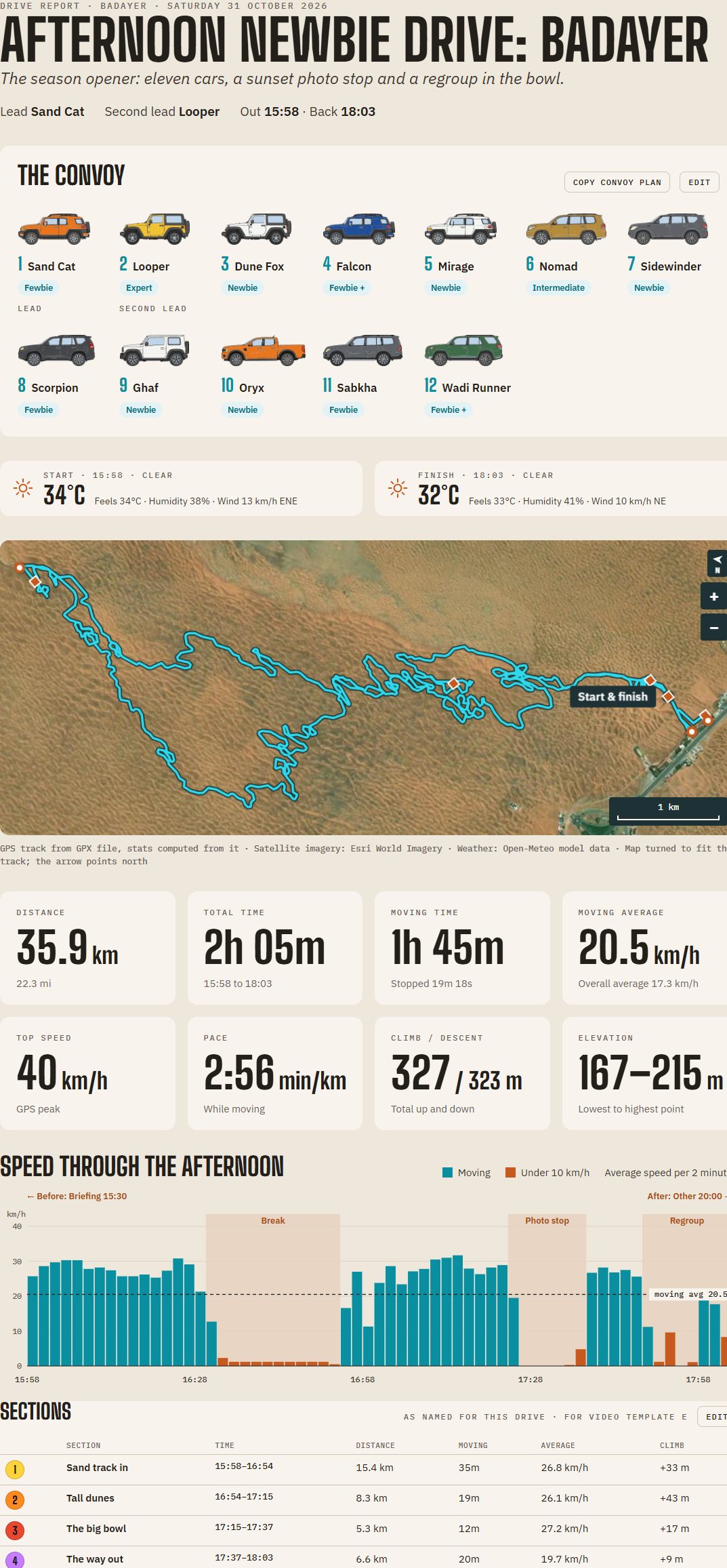
The report
The convoy as it drove, each car in its colour with its driver's level and role, the weather at the start and the finish, the track on the satellite map with its stops, eight tiles of figures and the speed chart.
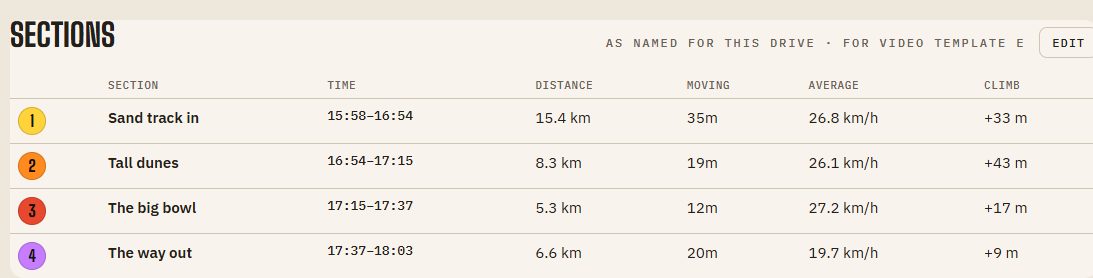
The drive in sections
Looper splits the drive at your stops. Name the parts, the track in, the tall dunes, the way out, join or split them, and see each one's distance, time, average and climb. Video template E shows each name as the car gets there.
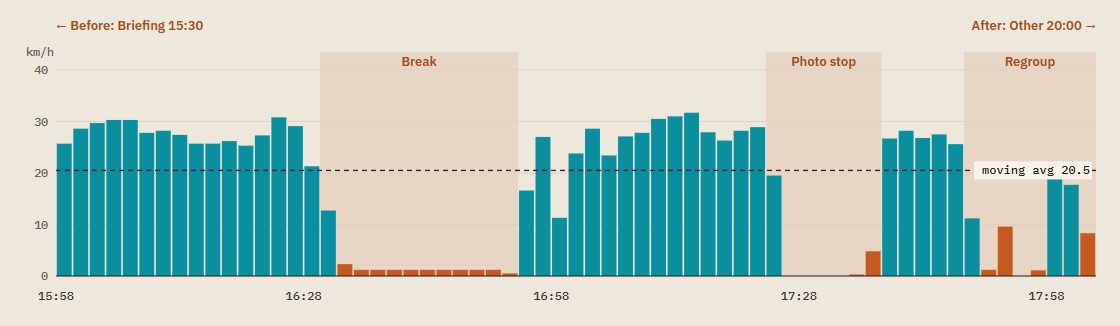
The story of the drive
The speed chart shows how it went, every two minutes, with each halt marked by what it was: a break, a regroup, a photo stop.
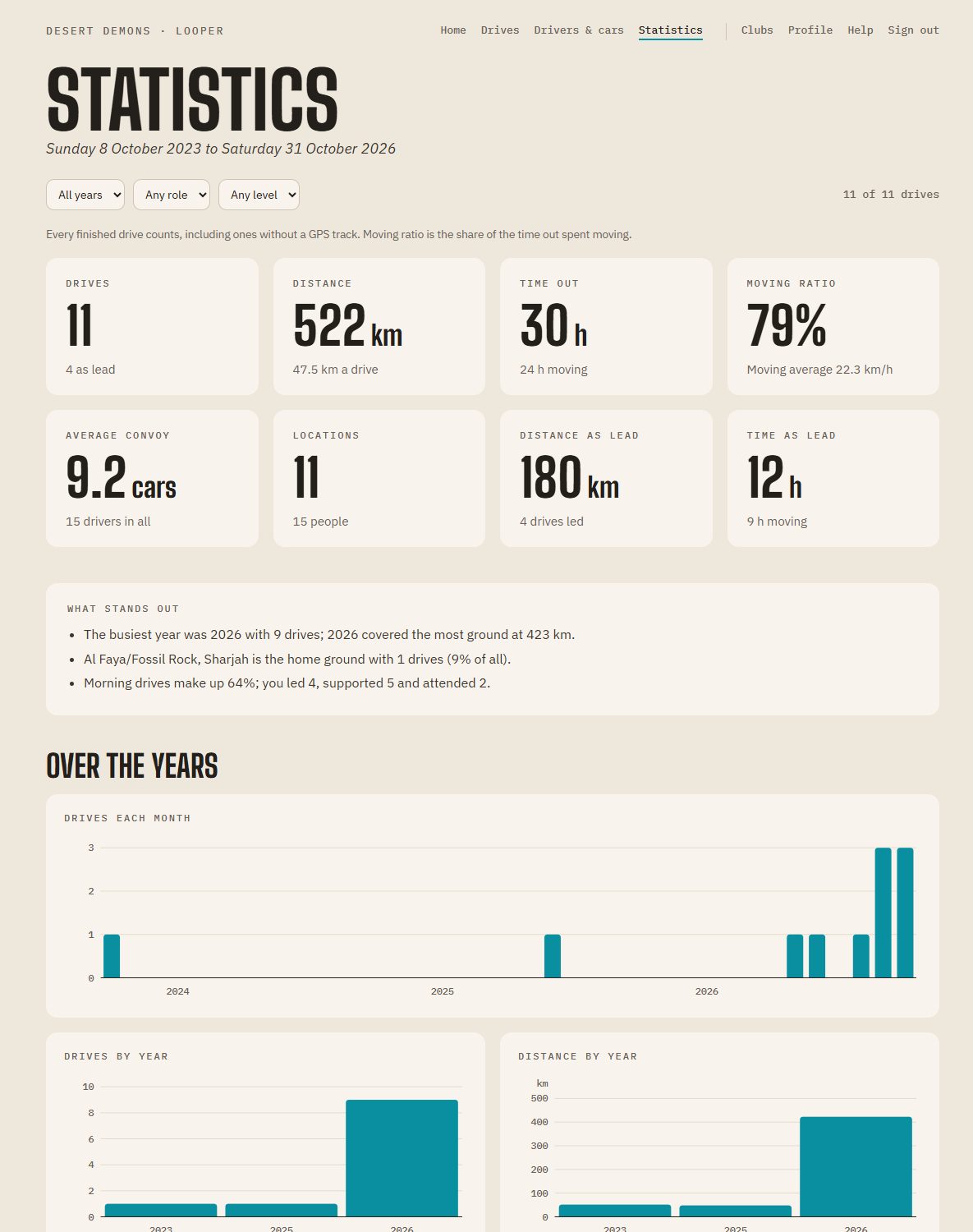
Your years in numbers
Filter by year, role and level. See how far you've driven, how your convoys have grown, and what stands out.
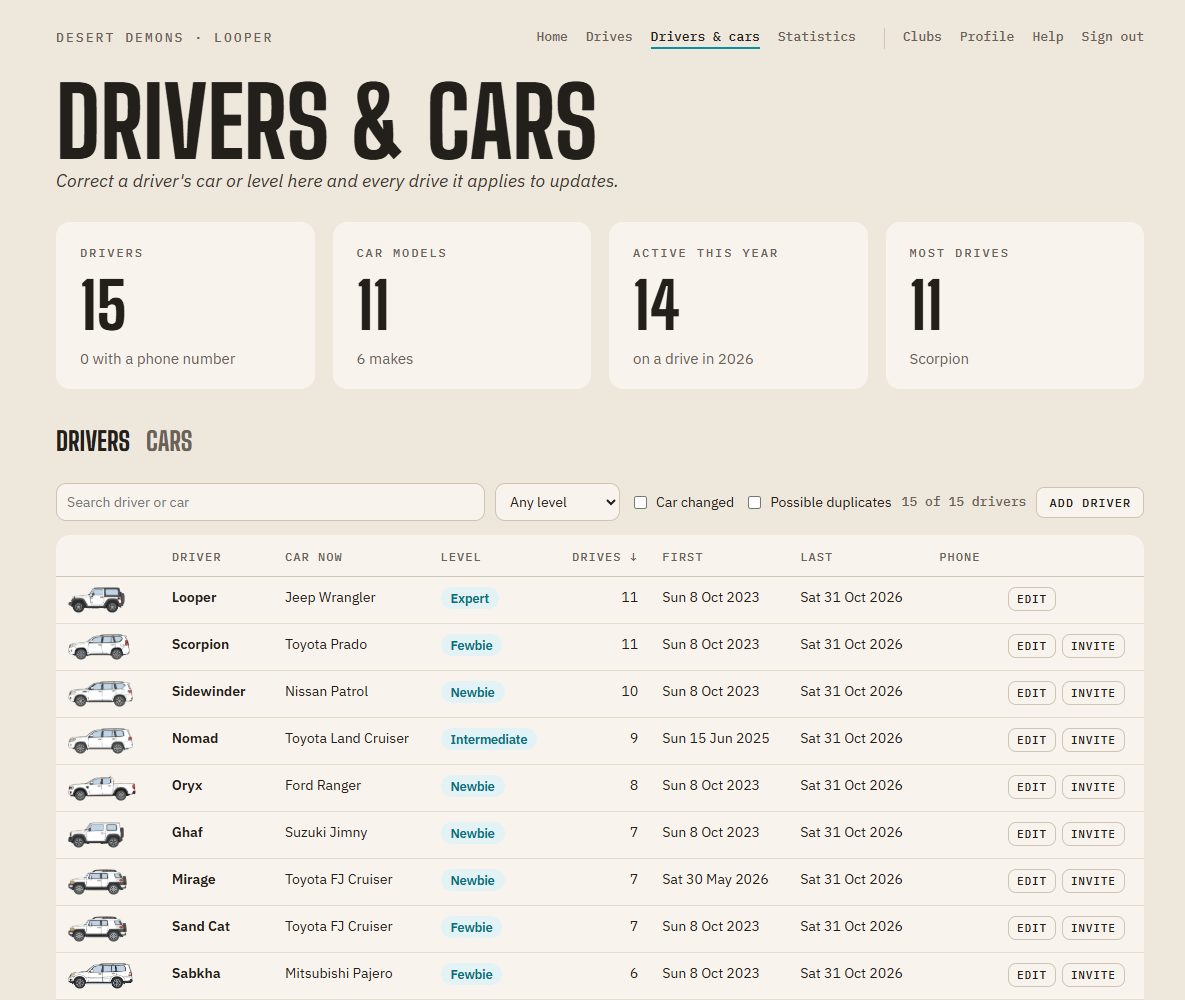
Everyone you drove with
Each driver's car and level, how many drives you shared and when. Correct a car or a level once and every drive it applies to updates. Press Invite to send a driver a link to their own Looper, with their name, car and level filled in.
What your log does
Any club, or none
Each drive is with one of your clubs, or Personal. A club not in Looper's list? Type it, with its levels; Looper adds it for everyone once it's checked.
Any kind of drive
Desert, wadi, mountain, a scenic day trip, a track day, on-road, or an overland trip of several days. Your statistics count each kind.
All your cars
Keep every car you drive on your profile, your main car first. Adding a drive asks which one you drove, and your reports and videos show that one.
The drive as it happened
Halts are found in the track: name each one, a break, a regroup, a tyre pop-out or a recovery. Add notes for what happened on the way, and photos at their time or place.
Every car, in its colour
Pick each driver's make, model, generation and colour, and the convoy shows each car drawn in that colour, from a Jimny to a Land Cruiser.
Just your own drives
Rather keep it to yourself? Choose "Just my drive": your log shows your car, your level and who led, without the rest of the convoy.
Your club's drives too
If your club has a page on Looper, join its drives there. They show in your Upcoming, and after the drive the report arrives in your log by itself.
Bring your history
Import a backup in Looper's format, drives, drivers, tracks and photos, and your log fills in. Download a backup of everything whenever you like.
Emails you choose
A welcome, the club's new drives, changes to drives you joined, a reminder the day before, and promotions. Turn any of them off on your Profile.
Start your log
It takes a minute: your name, your clubs and your cars. Then add your next drive.